Rescue Time Review
RescueTime Review 2026
The gold standard for automatic productivity tracking. Runs silently in the background, scores your day from 0 to 100, and gives you data no other app matches. But can it block distractions too?
Free plan available · Premium trial 14 days
📋 What Is RescueTime?
RescueTime has been running silently in the background of productivity-conscious people’s computers since 2007. It’s the oldest and most established automatic time-tracking app on the market — and in many ways, still the best at its core job: telling you exactly how you spent your digital time.
Unlike FocusMe or Qustodio, RescueTime doesn’t primarily try to prevent distraction. Its philosophy is analytics-first: understand your behavior patterns, track them against goals, and improve over time. The blocking component (FocusTime) exists, but it’s secondary to the data.
Our verdict: RescueTime is the best productivity analytics tool available. If you want to understand how you actually spend your time, set measurable goals, and track improvement over weeks and months, nothing beats it. Its weakness is FocusTime — functional but limited compared to dedicated blockers like FocusMe.
Key Features at a Glance
Productivity Score
0–100 daily score weighted across 5 activity categories.
5 Report Types
Apps/Sites, Categories, Productivity, Goals, and Highlights.
Goal Tracking
Set “More/Less” goals per category with red/blue status icons.
Offline Time
Manually add activities that weren’t tracked on screen.
Highlights / Notes
Daily notes explaining productivity deviations over time.
FocusTime
Blocks distracting sites during timed focus sessions.
🖥️ Dashboard — Informative Without Clutter
The first thing that stands out about RescueTime is the quality of its dashboard design. Unlike FocusMe’s busy interface, RescueTime shows exactly the right amount of information — the core metrics are visible at a glance, and deeper data is one click away.
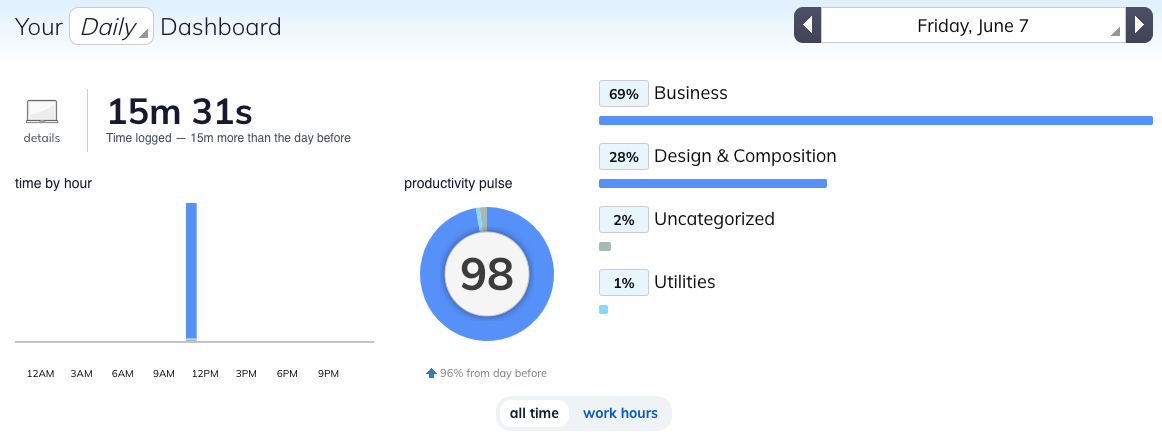
📸 The main dashboard — productivity score center, top categories, activity breakdown
The Productivity Score
Center stage on the dashboard is your efficiency score — a number from 0 to 100 representing the percentage of your time spent on productive activities. The most motivating element isn’t the score itself — it’s the comparison to yesterday. Seeing “+12% vs yesterday” is a powerful daily nudge.
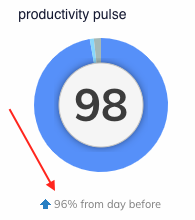
Efficiency score and daily comparison
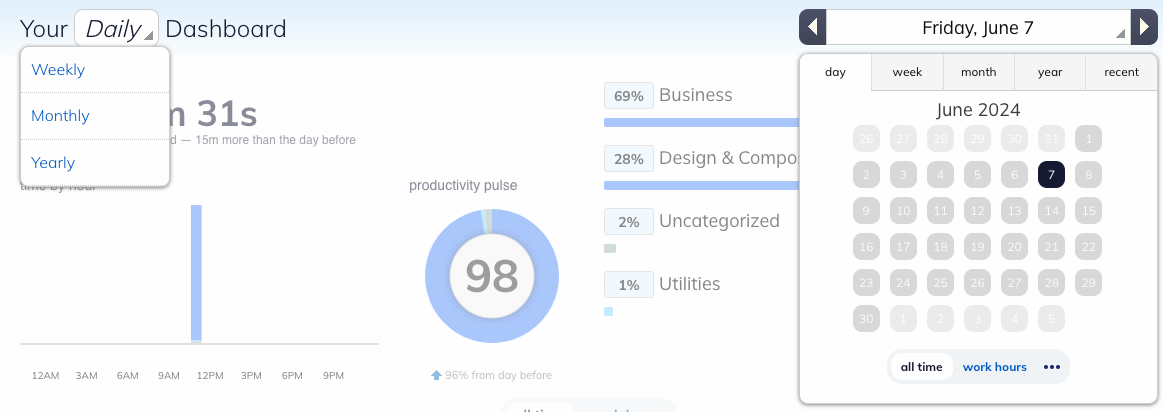
Historical view: day / week / month / year
RescueTime syncs every 15 minutes, not in real time. The dashboard also doesn’t auto-refresh — you need to manually reload the page to see updated stats.
📈 5 Report Types — Behavior From Every Angle

📸 Five report types available in the main Reports panel
🎯 Goal Tracking System
Goals are a cornerstone of behavioral change, and RescueTime implements them well. You set daily targets and the app tracks them automatically without any manual input required.
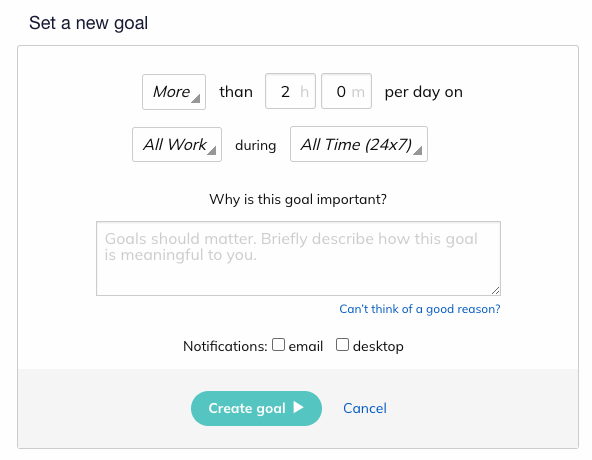
Goal direction — More or Less
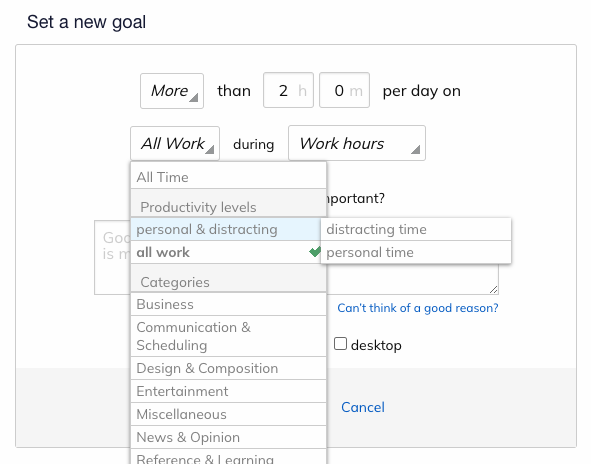
Category selection for goals

🔴 Goal not achieved — red indicator
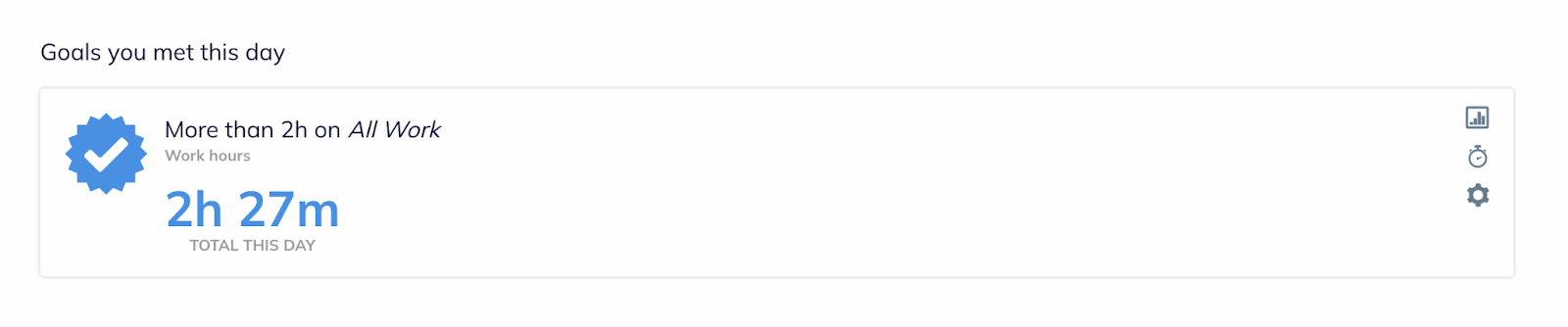
🔵 Goal achieved — blue indicator
📝 Highlights — Daily Notes That Actually Help
The Highlights feature lets you write notes for each day — explanations, reflections, reasons for low productivity. These notes are tied to the day’s statistics, so you can later review why certain days had unusually high or low scores.
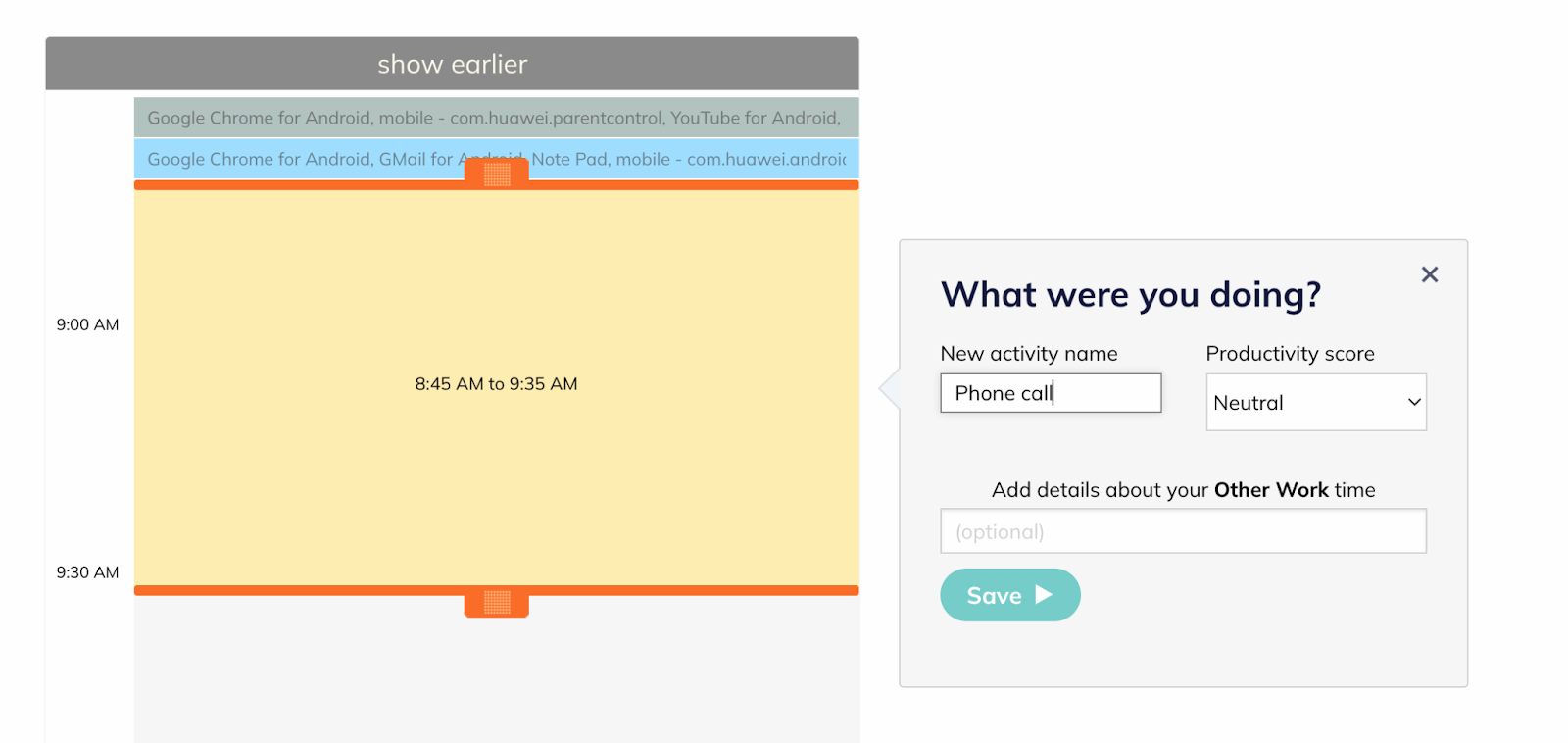
📸 Highlights — daily notes correlated with productivity data
⏱️ Offline Time — Fix Missing Gaps
If RescueTime wasn’t running you can manually add time for that period through the Offline Time section. This is particularly useful for adding physical activities — exercise, walking, meetings — that should count toward your productive time.
📋 Timesheets — The Other Mode
In the upper left corner you can switch between Time Analytics (the default) and Timesheets. Timesheets is a manual time tracker — log time against specific tasks and assign them to team members. Valuable for freelancers billing clients or teams monitoring project time.
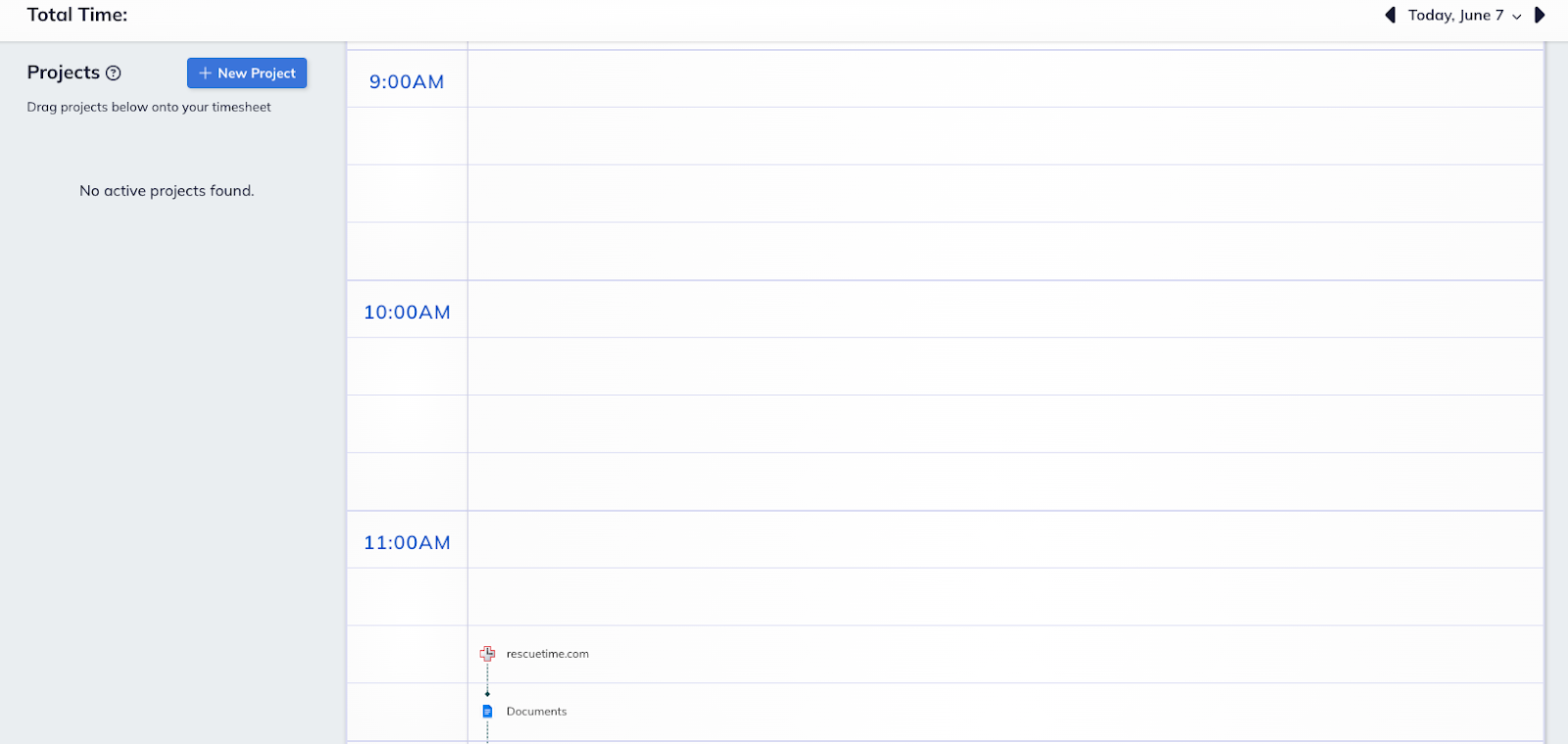
Mode switch: Time Analytics ↔ Timesheets
🚫 FocusTime — Does It Actually Block?
⚠️ Fact-check correction: The original review’s FAQ stated “RescueTime does not have the ability to block or limit apps, even in its Focus Mode.” This is incorrect. FocusTime actively blocks sites and apps categorized as Personal or Distracting during an active focus session.
FocusTime works as follows: when you start a session, RescueTime blocks access to anything categorized as distracting. On mobile, activating FocusTime also automatically enables Do Not Disturb mode on your phone.
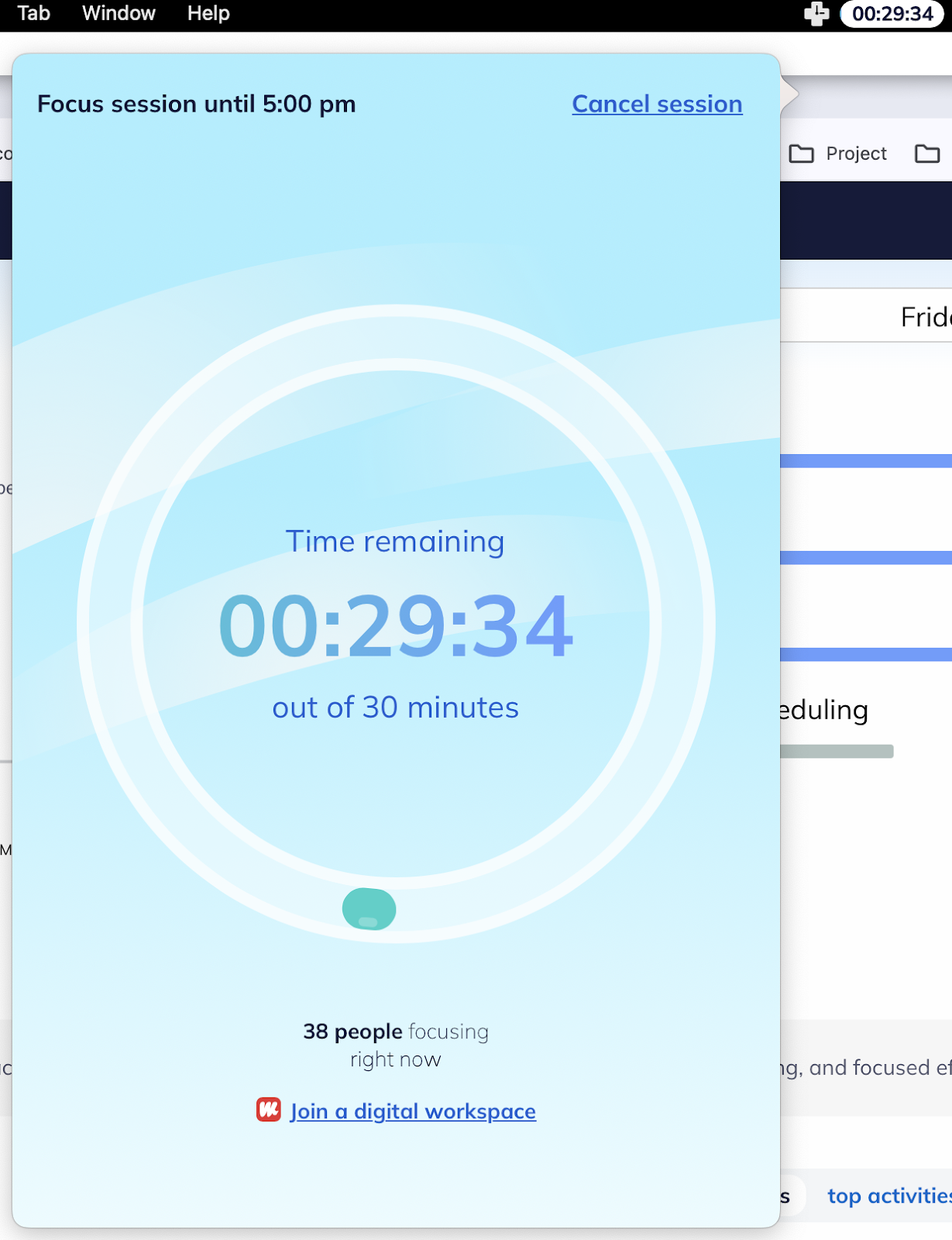
FocusTime — active session timer

Community: see how many users are currently in focus
FocusTime vs Dedicated Blockers
While FocusTime is functional, it’s significantly less powerful than a dedicated blocker like FocusMe: no protection levels, no scheduling, no Pomodoro integration, and easy to abort mid-session. FocusTime is good for people who want to focus and just need a reminder tool. It’s not designed for people who need to be prevented from distraction by force.
📱 Mobile App — “Good That It Exists”
The mobile app collects behavioral data from your phone and syncs it to your account. Beyond that, it doesn’t offer much. Google Play Store: 3.3/5. Apple App Store: 2.7/5. The verdict: useful as a passive data collector, but don’t rely on it as a primary interface.
💰 RescueTime Pricing 2026
Lite
$0
forever · 1 user
Basic tracking, weekly reports, productivity score.
Best Value
Solo Premium
$6.50
per month (billed annually)
Full analytics, FocusTime blocking, goal tracking, detailed reports, offline time, highlights.
Solo Premium
$12
per month (billed monthly)
Same features as annual plan. Monthly flexibility at higher cost.
Team
$6
per user/month (annual)
Everything in Solo + team dashboards, timesheets, consolidated billing.
⚠️ Note on the free trial: Unlike FocusMe (no card needed), RescueTime’s 14-day premium trial requires a credit card. Set a calendar reminder before the trial ends.
⚖️ Pros & Cons
✅ What We Like
- Best-in-class productivity analytics
- Clean, uncluttered dashboard
- 0–100 daily score with daily comparisons
- 5 different report types for deep analysis
- Work hours vs all-time stat filtering
- Daily notes (Highlights) tied to stats
- Offline time manual entry is excellent
- Goal tracking with visual red/blue calendar
- FocusTime does block sites
- Community focus session counter
- Free Lite plan available permanently
- Reasonably priced at $6.50/month annually
✗ What We Don’t Like
- Dashboard doesn’t auto-refresh
- Stats update every 15 min, not real-time
- FocusTime is weak vs dedicated blockers
- No protection levels — easy to abort
- No Pomodoro integration
- Mobile app poorly rated (3.3 Android / 2.7 iOS)
- iOS severely limited vs Android
- Free trial requires credit card
- No refunds for partial billing periods
🆚 RescueTime vs Competitors
| Feature | RescueTime | FocusMe | Qustodio | StayFree |
|---|---|---|---|---|
| Productivity analytics | ✓ Best-in-class | ✗ Broken | ⚠ Good | ⚠ Basic |
| Site blocking | ⚠ FocusTime only | ✓ Best-in-class | ✓ Excellent | ⚠ Basic |
| Forced mode / protection | ✗ None | ✓ Multiple levels | ⚠ Stealth only | ✗ |
| Pomodoro timer | ✗ | ✓ Best-in-class | ✗ | ✗ |
| Goal tracking | ✓ Excellent | ⚠ Basic | ⚠ Via limits | ⚠ Basic |
| Daily notes | ✓ Highlights | ✗ | ✗ | ✗ |
| iOS support | ⚠ Limited | ✗ None | ✓ Full | ✗ |
| Free plan | ✓ Lite (permanent) | ⚠ 14-day trial | ✓ 1 device | ✓ Full free tier |
| Annual price | $78/yr ($6.50/mo) | $29.99/yr | $54.95/yr | Free / ~$29.99 |
👤 Who Is RescueTime For?
✅ Great choice if you…
- Want data-driven insights into your actual behavior
- Respond well to scores, goals, and measurable progress
- Work on Windows or macOS primarily
- Have established self-discipline and need awareness, not hard blocking
- Want to pair with a dedicated blocker like FocusMe
- Use Timesheets for client billing or project tracking
✗ Look elsewhere if you…
- Need bypass-proof blocking — use FocusMe instead
- Want Pomodoro integration
- Primarily use iOS or mobile
- Need real-time dashboard updates
- Are just starting and need strong external structure
RescueTime (analytics, goals, awareness) + FocusMe (deep blocking, Pomodoro, forced mode). RescueTime tells you what you’re doing; FocusMe prevents the bad stuff. They complement each other perfectly.
❓ Frequently Asked Questions
🏆 Final Verdict
RescueTime earns an 8.2/10 — the best productivity analytics tool available, with meaningful weaknesses only in blocking depth and mobile quality.
For anyone serious about understanding their digital behavior, RescueTime is effectively non-negotiable. No other tool matches its combination of automatic tracking accuracy, goal visibility, historical reporting depth, and the daily productivity score. Its weaknesses are addressable: pair it with FocusMe for blocking, accept the mobile limitations if you’re desktop-first.
RescueTime — Overall Score: 8.2/10
Best productivity analytics · Weak mobile · Free Lite plan available
Try RescueTime Free →Free Lite plan · Premium 14-day trial (card required)